
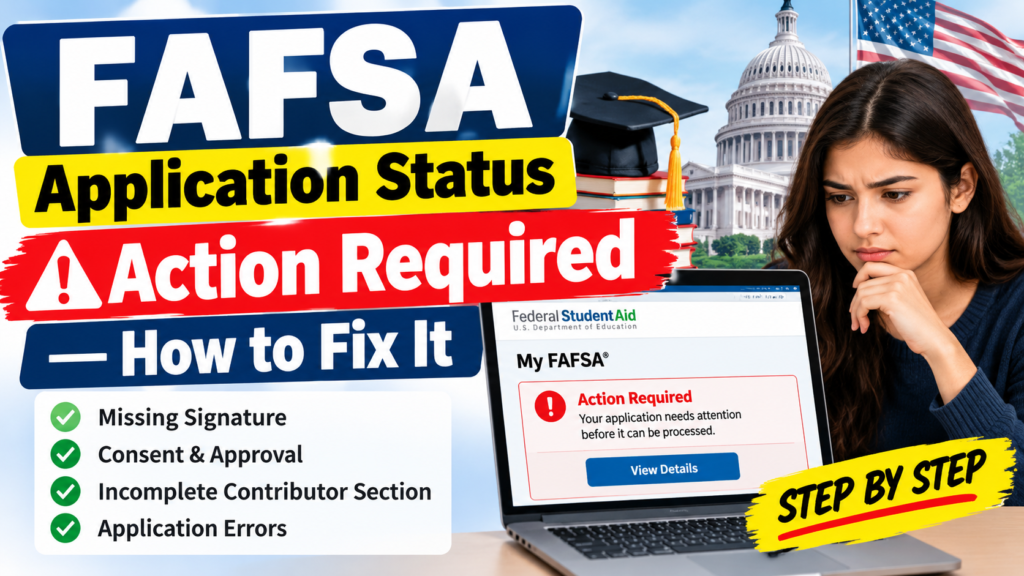
If your FAFSA application status shows “Action Required,” you may need to provide missing information, give consent to transfer federal tax information, add a required signature, or correct an error before your application can be fully processed.
The good news is that many FAFSA issues can be resolved online through your StudentAid.gov account. You do not necessarily need to submit a completely new application.
In this guide, you will learn what “Action Required” means, why it appears, how to fix common FAFSA problems, and what to do if your application still shows the same status after making corrections.
What Does “Action Required” Mean on FAFSA?
FAFSA stands for Free Application for Federal Student Aid. It is the official application used by students in the United States to apply for federal financial aid for college, career school, and other eligible educational programs.
When your FAFSA status shows “Action Required,” it generally means that an error or an incomplete requirement needs your attention.
Common reasons include:
- Missing student signature.
- Missing parent or spouse signature, when required.
- Missing consent and approval for federal tax information.
- Incomplete information from a required contributor.
- Incorrect or incomplete application details.
- Other issues identified in your FAFSA account.
You should review the specific message displayed in your account before deciding what to do next.
How to Fix FAFSA Application Status: Action Required
Follow these steps to identify and resolve the issue.
Step 1: Log In to Your StudentAid.gov Account
Visit the official Federal Student Aid website and sign in using your StudentAid.gov account credentials.
Official website: https://studentaid.gov/
After logging in:
- Open your account dashboard.
- Find the “My Activity” section.
- Locate the FAFSA form showing “Action Required.”
- Select the application to view its details.
The details page can help you identify which part of the application needs attention.
Step 2: Check the Specific Error or Missing Requirement
Do not assume that every “Action Required” status has the same cause.
Review the application details and look for instructions about missing information, signatures, consent, approval, or corrections.
For example, your account may indicate that you need to complete a required section or that another contributor must take action.
Follow the instructions displayed for your particular application.
Step 3: Complete Missing Consent and Approval
FAFSA may require you and certain contributors to provide consent and approval for the transfer of federal tax information from the IRS.
A contributor is someone required to provide information for your FAFSA, such as a parent or spouse, depending on your circumstances.
If consent and approval are missing:
- Identify whose consent or approval is required.
- Sign in to the appropriate StudentAid.gov account.
- Complete the required consent and approval steps.
- Follow any additional instructions shown on the application.
Providing consent is not the same as signing the FAFSA form. You may need to complete both requirements.
Step 4: Add a Missing Signature
A missing signature is another common reason an application may require additional action.
Check whether you or another required contributor needs to sign the form.
If a signature is missing:
- Open the FAFSA application.
- Review the instructions for the incomplete section.
- Complete the required electronic signature.
- Make sure any other required contributor also completes their signature.
Each contributor must complete the requirements assigned to them. A student generally cannot sign another person’s section on that person’s behalf.
Step 5: Ask Your Parent or Spouse to Complete Their Section
If your FAFSA requires information from a parent or spouse, that contributor may need to complete their own section.
Ask them to:
- Sign in to their own StudentAid.gov account.
- Open the relevant FAFSA form.
- Complete any missing information.
- Provide required consent and approval.
- Sign their section, if required.
Your application may remain incomplete until all required contributors have completed their assigned tasks.
If the contributor cannot access their account, resolve the account access issue and follow the official instructions before attempting other corrections.
Step 6: Correct Errors in Your FAFSA Form
If your application contains incorrect information, you may need to submit a correction.
For an eligible application, you can generally start a correction by opening your FAFSA Submission Summary and selecting “Make a Correction” in the “FAFSA Form Answers” tab.
You can also locate your FAFSA submission through the “My Activity” section of your StudentAid.gov dashboard.
Review the relevant answers carefully and correct only the information that needs to be changed.
Some changes, including certain updates to financial information, may require assistance from your school’s financial aid office rather than an online correction.
Step 7: Submit the Required Changes and Check Your Status
After completing the requested corrections, follow the on-screen instructions to submit them.
Then return to your dashboard and check your FAFSA application status.
Your status may change as your application is processed. Some applications are processed immediately, while others can take one to three days.
If the status does not change immediately, avoid making unnecessary duplicate corrections. Review the application details again and allow time for processing.
Common FAFSA Problems and Their Solutions
| FAFSA Problem | What You Should Do |
|---|---|
| Missing student signature | Sign in and complete the required signature. |
| Missing parent signature | Ask the required parent contributor to sign in and complete their section. |
| Missing spouse signature | Ask your spouse to complete the required steps, if applicable. |
| Missing consent and approval | Complete the required consent and approval steps for federal tax information. |
| Parent or spouse section incomplete | Ask the contributor to complete their assigned section. |
| Incorrect application information | Review your answers and submit the necessary correction. |
| FAFSA status not updating | Review the application details and allow time for processing. |
| School requests additional documents | Contact your school’s financial aid office and follow its instructions. |
| Unable to access your account | Use the official account recovery and support options. |
How Long Does It Take to Fix FAFSA “Action Required”?
The time needed depends on the issue.
If you only need to add a missing signature or provide consent and approval, completing the required steps may take only a few minutes.
However, the overall application may take longer to become fully processed if another contributor has not completed their section or if additional information is required.
According to Federal Student Aid, most FAFSA forms are processed immediately, although some may take one to three days.
Keep in mind that correcting an issue and having your application fully processed are separate steps.
If your status remains unchanged after completing the requested action, review your account for additional instructions.
What If Your FAFSA Still Shows “Action Required”?
If you have completed the requested steps but the status remains unchanged, try the following:
1. Review your application details. Check whether another requirement is still incomplete.
2. Check contributor progress. Make sure every required contributor has completed their assigned section.
3. Confirm that your corrections were submitted. Completing a correction without successfully submitting it may leave the issue unresolved.
4. Check for additional school requirements. Your college may need supporting documents or other information to determine your eligibility for financial aid.
5. Contact Federal Student Aid if necessary. If the problem appears to be related to your FAFSA application or StudentAid.gov account, use the official Federal Student Aid Help Center for assistance.
You can also contact your college’s financial aid office if you need clarification about school-specific documentation or deadlines.
Does “Action Required” Mean Your FAFSA Was Rejected?
No. An “Action Required” status does not automatically mean your FAFSA application has been rejected.
It generally means that you must resolve an identified issue before the application can be fully processed.
Your eligibility for federal student aid is determined through the applicable financial aid process. You should not assume that you are ineligible simply because your application requires a correction.
Complete the requested steps and review your application status again.
Can You Receive Financial Aid While FAFSA Shows “Action Required”?
You should not assume that your financial aid eligibility has been fully determined while your FAFSA requires action.
Your college needs the relevant FAFSA information to assess your eligibility and prepare an aid offer.
If your application is incomplete, contact your college’s financial aid office to ask how the unresolved issue affects your financial aid process and whether any deadlines apply.
Do not wait until the last minute to resolve an incomplete application.
Frequently Asked Questions
1. How do I fix FAFSA status “Action Required”?
Sign in to StudentAid.gov, open your FAFSA form under “My Activity,” and review the specific instructions. Complete any missing signatures, consent and approval requirements, contributor sections, or corrections.
2. Why does my FAFSA say “Action Required” after submission?
Your application may be missing required information, a signature, consent and approval, or another required step. Open the application details to identify the specific issue.
3. Do I need to submit a new FAFSA if my status says “Action Required”?
Not necessarily. Many issues can be resolved by completing the required steps or submitting a correction to your existing application. Follow the instructions displayed in your account.
4. How long does FAFSA take to process after corrections?
Processing time varies. Federal Student Aid states that most FAFSA forms are processed immediately, while some may take one to three days. Additional contributor requirements or other issues may extend the overall process.
5. Can my parent fix my FAFSA application?
A parent who is a required contributor can complete their own assigned section and resolve issues related to their information. However, they generally cannot submit corrections for the student’s section on the student’s behalf.
6. What should I do if my FAFSA status does not change?
Review the application details, confirm that all required contributors have completed their sections, and check that your corrections were submitted successfully. If the issue remains unresolved, contact Federal Student Aid or your school’s financial aid office, depending on the problem.
7. Does “Action Required” mean I will not receive a Pell Grant?
No. This status alone does not determine whether you qualify for a Federal Pell Grant. Your eligibility depends on your circumstances and the applicable federal student aid requirements.
8. Where can I check my official FAFSA status?
Sign in to your account at StudentAid.gov and look for your FAFSA application under “My Activity.”
Final Thoughts
If your FAFSA application status shows “Action Required,” the most important step is to identify the exact issue listed in your StudentAid.gov account.
Missing signatures, consent and approval, incomplete contributor sections, and incorrect information can all require attention.
Complete the requested steps, submit any necessary corrections, and check your application status again. If the issue persists, contact Federal Student Aid or your school’s financial aid office for guidance.
Official resource: https://studentaid.gov/